Welcome to your Switch-E
The E-kit turns your Switch+ into a Switch-E. Here is what you got, and what the parts are called.
Know the names
Your Switch-E, part by part
These are the names we use in the videos, the app and the manual. Tap a number to see what each part does.
Drag to rotate · scroll or pinch to zoom
Switch on the 3D view to see where each part sits, or pick a part below.
-
1. PaceSync Module
The brain and the battery. It reads how you push, pull and steer through the handle, then drives both motors independently to match your pace. It also applies the parking brake when you stop.
- Weight
- 2.5 kg
- Battery
- 365 Wh
- Range
- About 54 holes
-
a. Interface
Four battery LEDs, two function buttons with their own LEDs, and the power button. Hold power for 5 seconds to switch on or off. The upper and lower function buttons step the driving profile up and down.
- Power
- Hold 5 s
- Pair app
- Hold upper 3 s
- Pair remote
- Hold lower 3 s
-
b. 2× USB-C ports
Manual p. 12Use either port to charge the remote, or plug the remote into any standard USB-C charger. A full charge lasts 12+ hours, but we recommend charging after every round.
-
c. Tracking card slot
An optional slot for a GPS tracking card, so you can find your PaceSync. The card is not included.
- Max card size
- 85.2 × 54 × 2.5 mm
-
2. E-Nocks (L + R)
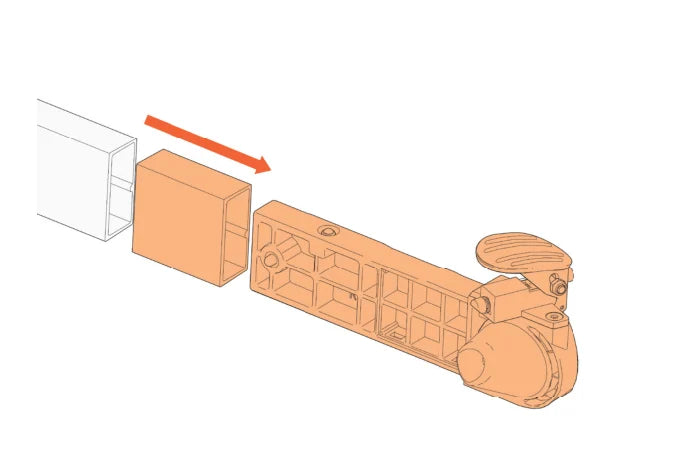
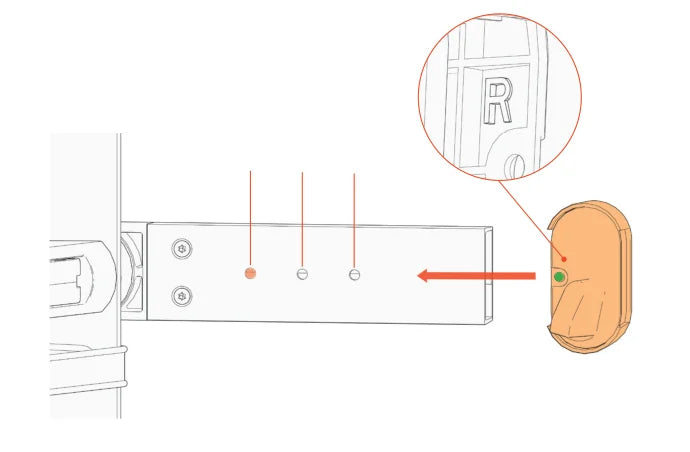
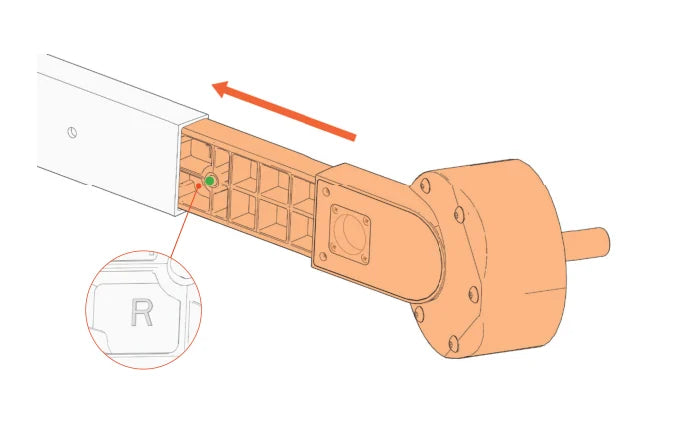
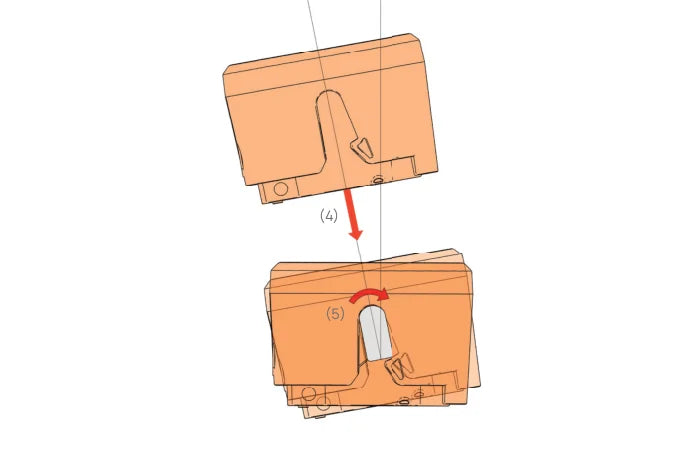
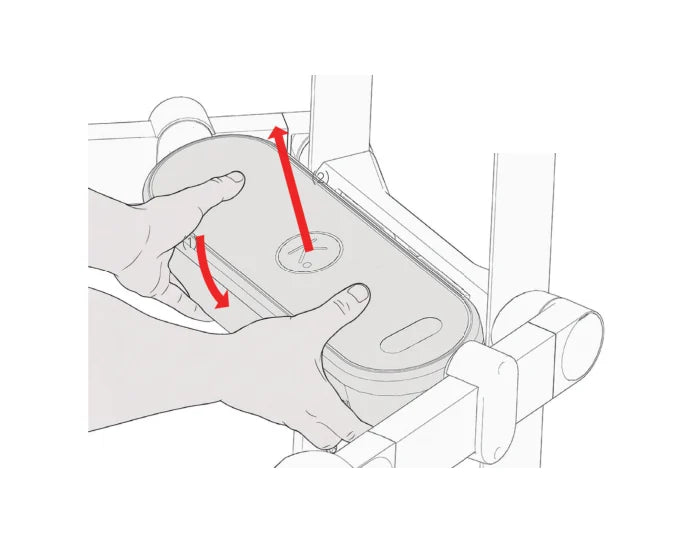
Manual p. 17The mounts on the frame arms that hold the PaceSync. They are marked L and R, and the PaceSync clicks onto them with a spring mechanism.
-
3. E-Wheelarms (L + R)
The powered arms. Each one has a motor inside, so the PaceSync can drive both wheels independently. They replace your manual wheelarms.
- Weight
- 3.0 kg per pair
-
4. E-Wheels
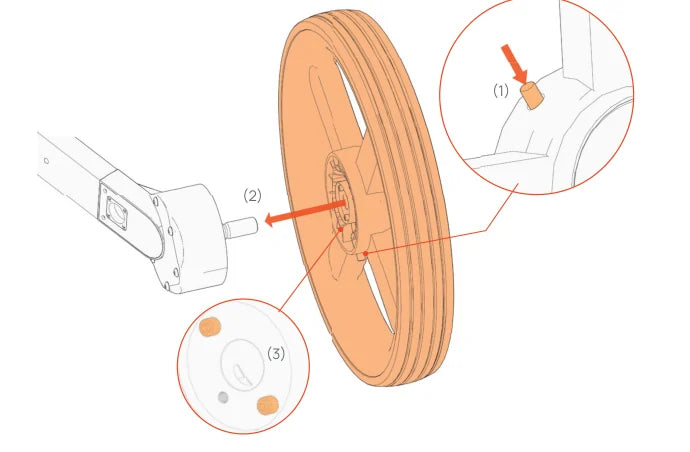
The driven wheels. They click onto the axle of the E-Wheelarm with a push pin.
- Weight
- 2.6 kg per pair
- Top speed
- 12 km/h
-
5. Cables
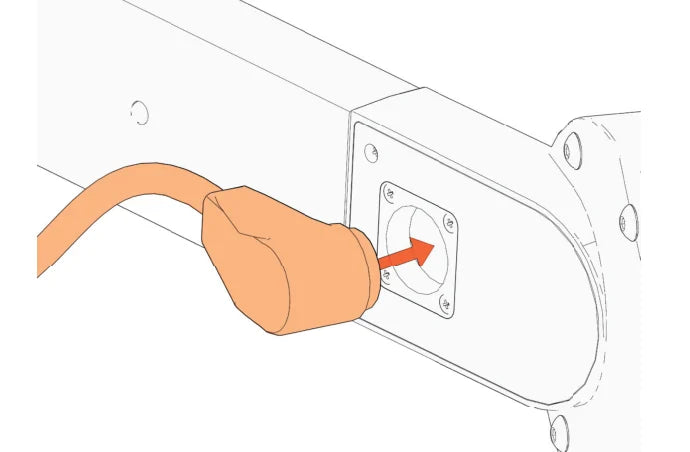
Manual p. 24Two cables link the PaceSync to the motors. The magnetic connectors snap into the plug on each E-Wheelarm. Keep them away from pacemakers.
-
6. Handlebar
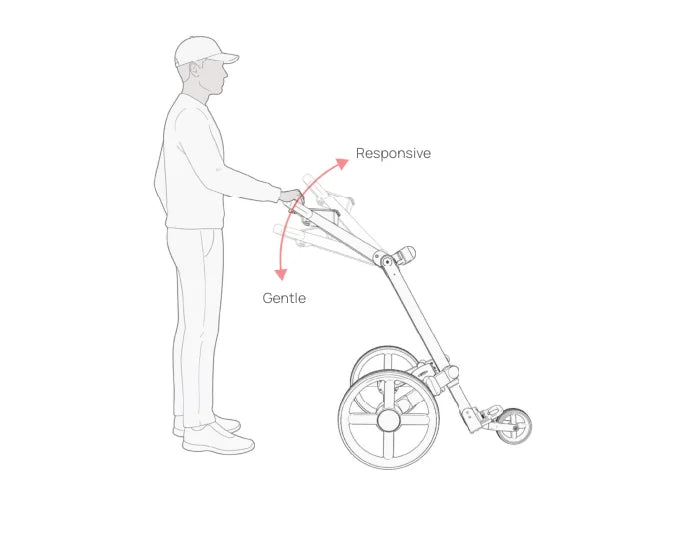
Manual p. 34Your main control. Its height changes how the trolley feels: higher is more responsive and sporty, lower is gentler with better control. Start with the handle indicator two clicks below the last indicator.
-
7. Frame arms
Manual p. 16The arms that carry the E-Nocks and the E-Wheelarms. Open the frame arm handles, lower the arms and fasten the handles when you set up.
-
8. Front wheel
Pull it down and turn it 90° into position when you set up. Fold it down before you attach the PaceSync. When driving, keep all three wheels on the ground.
- Lift limit
- 10 cm max
-
9. Switch frame
The manual Switch+ trolley that the E-kit turns into a Switch-E. The frame on its own weighs 7.4 kg, and about 22 kg with a full bag.
- Frame
- 7.4 kg
- With full bag
- ≈ 22 kg
Not shown in 3D: the remote (see Driving tips), the charger and the Torx key.
- Battery charger
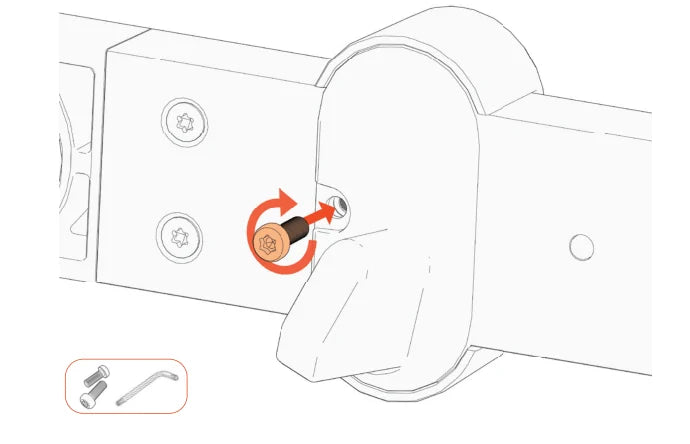
- 2× M5 Torx screws
- E-Wheel cover
- Torx key (T25)
Based on the Kaddey E-kit Owner’s Manual. Always read the full manual before use.